AWP

Attention Web Platform

The publishing platform for Fylr

The portal colleagues, the public and external partners meet. AWP gives access to selected parts of the material in Fylr with the search, the views and the look you want — and with control over who may download what.
Features

  • Views — thumbnails, table, gallery, report, map and info cards
  • Search with facets, hierarchies, pools, tags and saved queries
  • Sharing and ordering with download control
  • User accounts and role-based access
  • Multiple languages and a custom front page with background image
  • Custom CSS and room for bespoke development
  • Integrated with Google Analytics
  • Multiple portals from one installation

About the product

Fylr is where the material is administered. AWP is where the rest of the world meets it. It is the portal on a public domain that a citizen, a journalist or a partner can use without being given access to the media bank itself.

Views that suit the material

The same material needs presenting differently depending on what it is. Image collections work best as a gallery or as thumbnails. Data with coordinates makes sense on a map. Lists meant to be read down belong in a table or a report. AWP has the views, and they can be configured differently across the portal.

Search people can actually use

Search can be built with facets, hierarchies, pools and tags, so a visitor can narrow down without knowing what the fields are called. Saved queries make it possible to create fixed entrances to the material people ask for most.

Sharing, ordering and download

Material can be shared with selected recipients, and there is an ordering system for the cases where a download is not just a download — for instance when it has to be recorded who received which image for what purpose. Download control governs which formats and resolutions each person can take.

Access

User accounts and role-based access mean the same portal can have a public part and a closed part. The press sees something different from an ordinary visitor, and a partner sees a third thing.

Look

The portal can be set up with its own front page and background image, multiple languages and custom CSS. Where more than that is needed, there is room for bespoke development. Keyboard navigation is supported, and Google Analytics can be connected if usage needs measuring.

One installation can run several instances — typically used when institutions share an operation but each need their own portal facing outward.

Screenshots

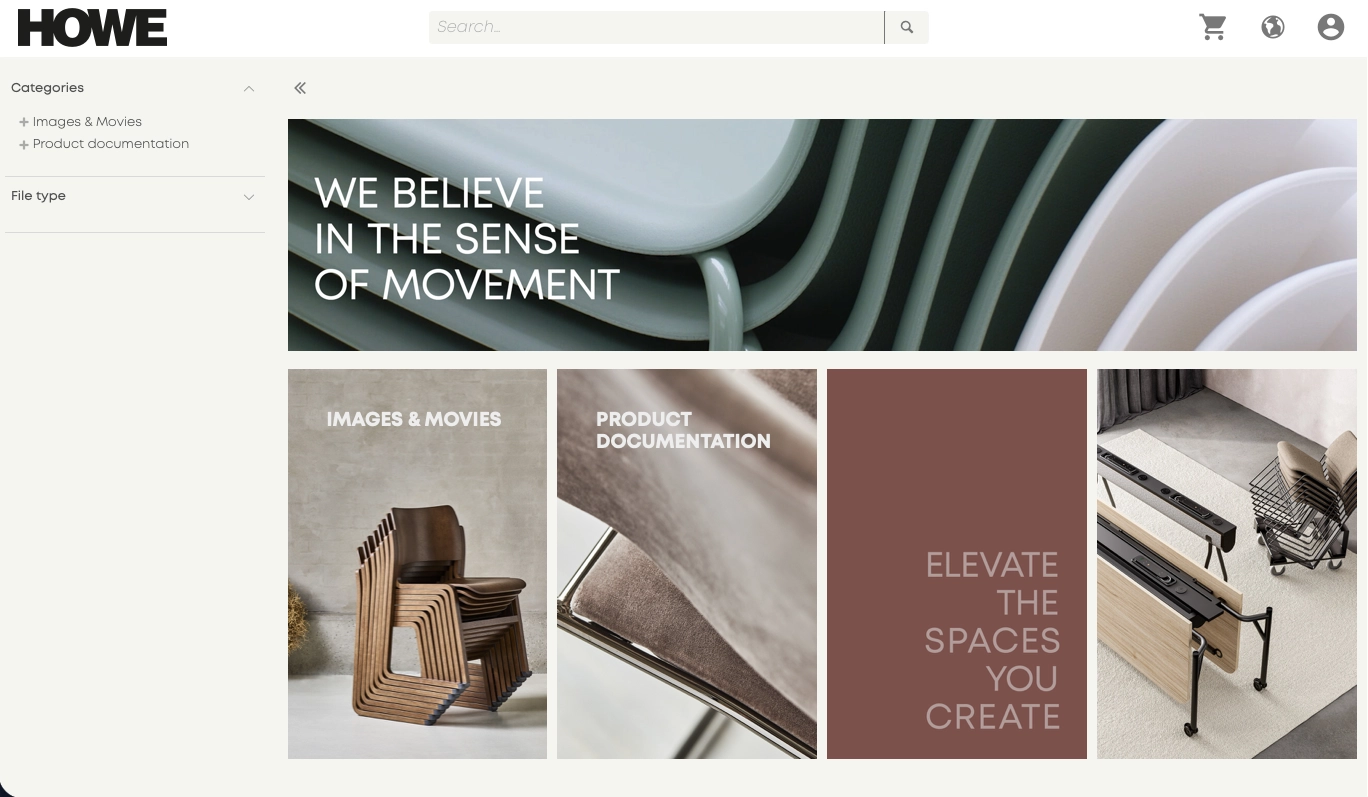
The front page of Howe's portal. Across the top, the black HOWE logo, a search field, basket, language picker and sign-in; down the left, the categories Images & Movies and Product documentation with a file type filter; in the main area a wide banner reading WE BELIEVE IN THE SENSE OF MOVEMENT over a close-up of stacked chairs, and below it four panels leading on to Images & Movies, Product documentation and furniture photography.
A front page with its own visual identity
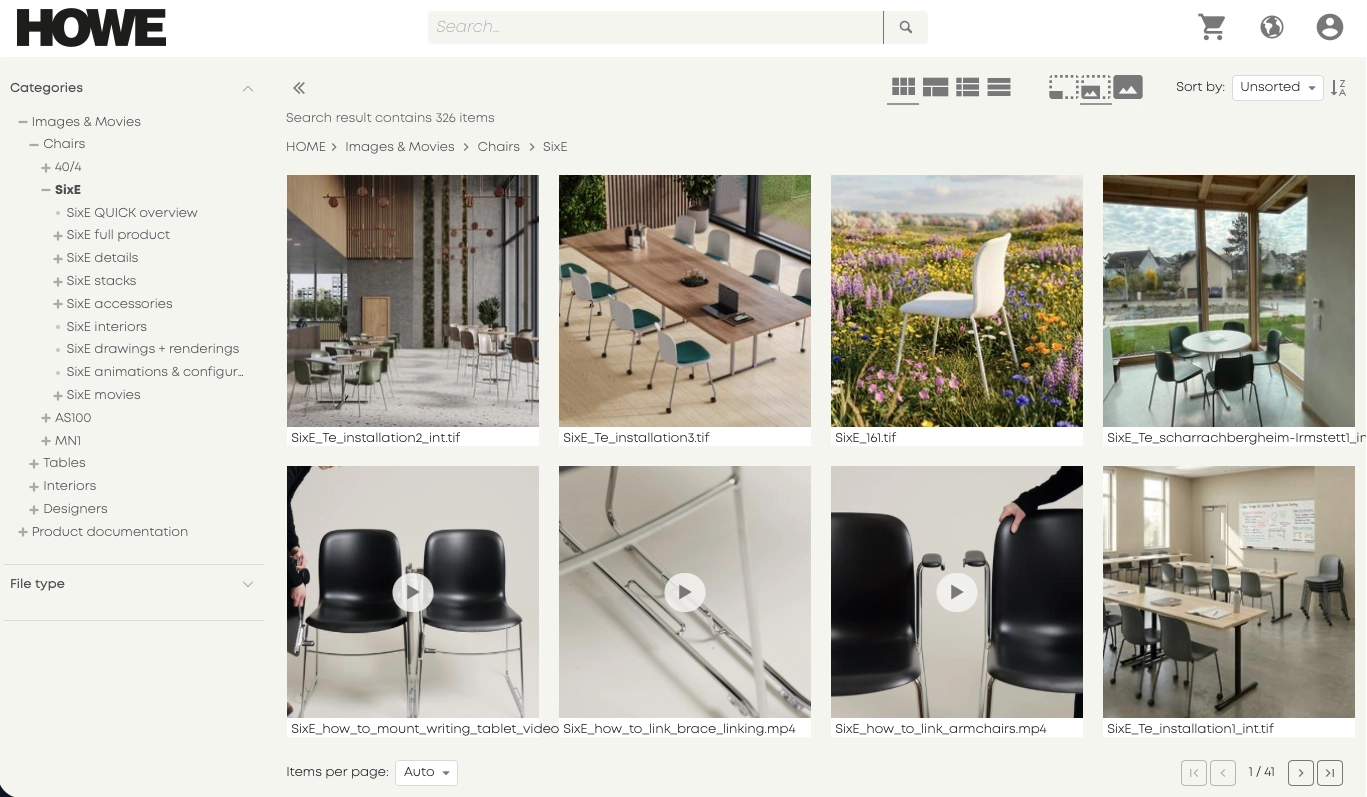
Thumbnail view in Howe's portal. On the left, an expanded category hierarchy running from Images & Movies through Chairs to the SixE chair, with sub-entries for details, stacks, accessories and movies; on the right, 326 matching items shown as images with the file name under each, four of them video files marked with a play icon. Items per page is set at the foot, and the page reads 1 of 41.
Category hierarchy and thumbnail view
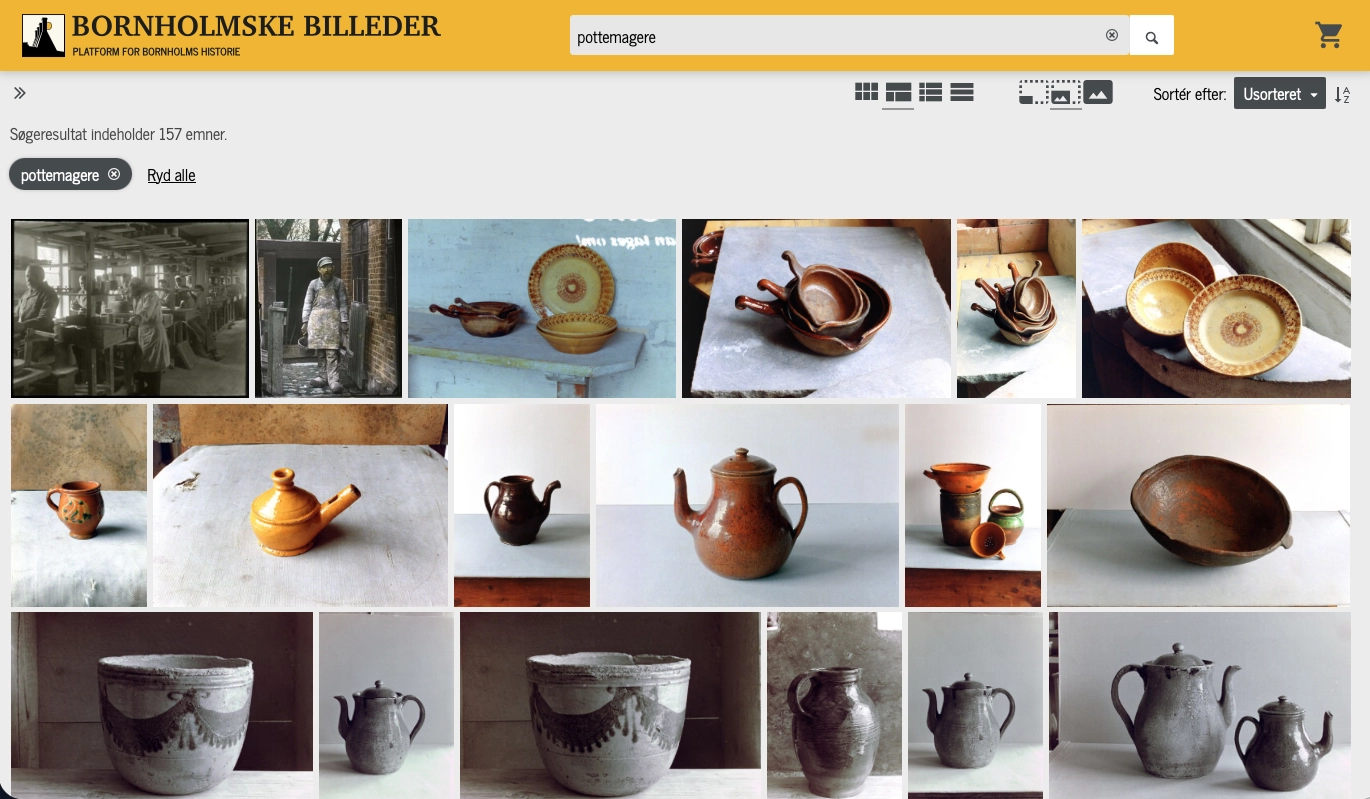
A search result in the Bornholmske Billeder portal. At the top, the logo and a search field holding the word pottemagere; below it, buttons for switching view and sorting, the line Søgeresultat indeholder 157 emner, and the active filter pottemagere with a Ryd alle link; in the main area a grid of photographs of earthenware — bowls, jugs and coffee pots — in both colour and black and white.
Faceted search and a choice of views
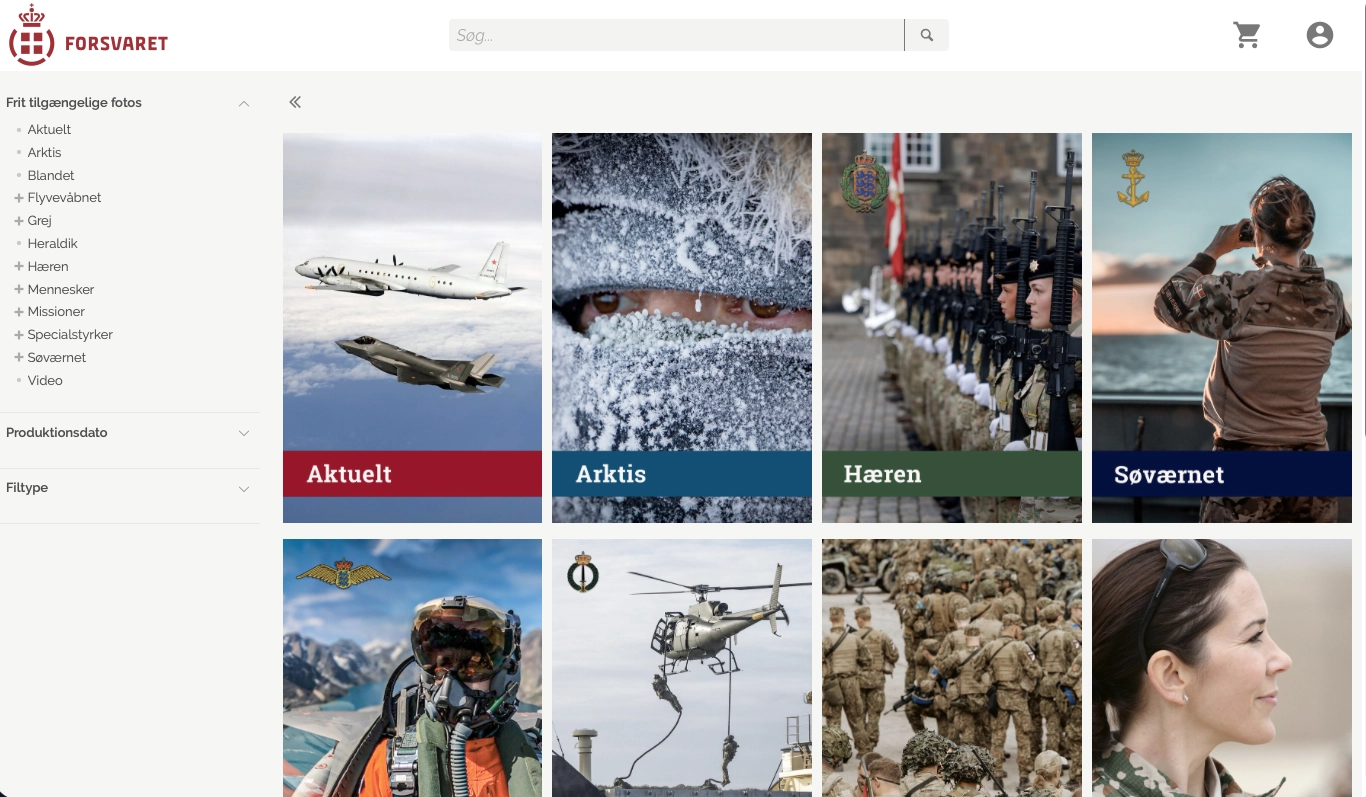
The Danish Defence media archive. On the left, a subject tree under Frit tilgængelige fotos listing Aktuelt, Arktis, Flyvevåbnet, Hæren, Søværnet, Missioner, Specialstyrker and Video, with filters for production date and file type; on the right, large image panels captioned Aktuelt, Arktis, Hæren and Søværnet, each leading into a collection.
Entry points into selected collections
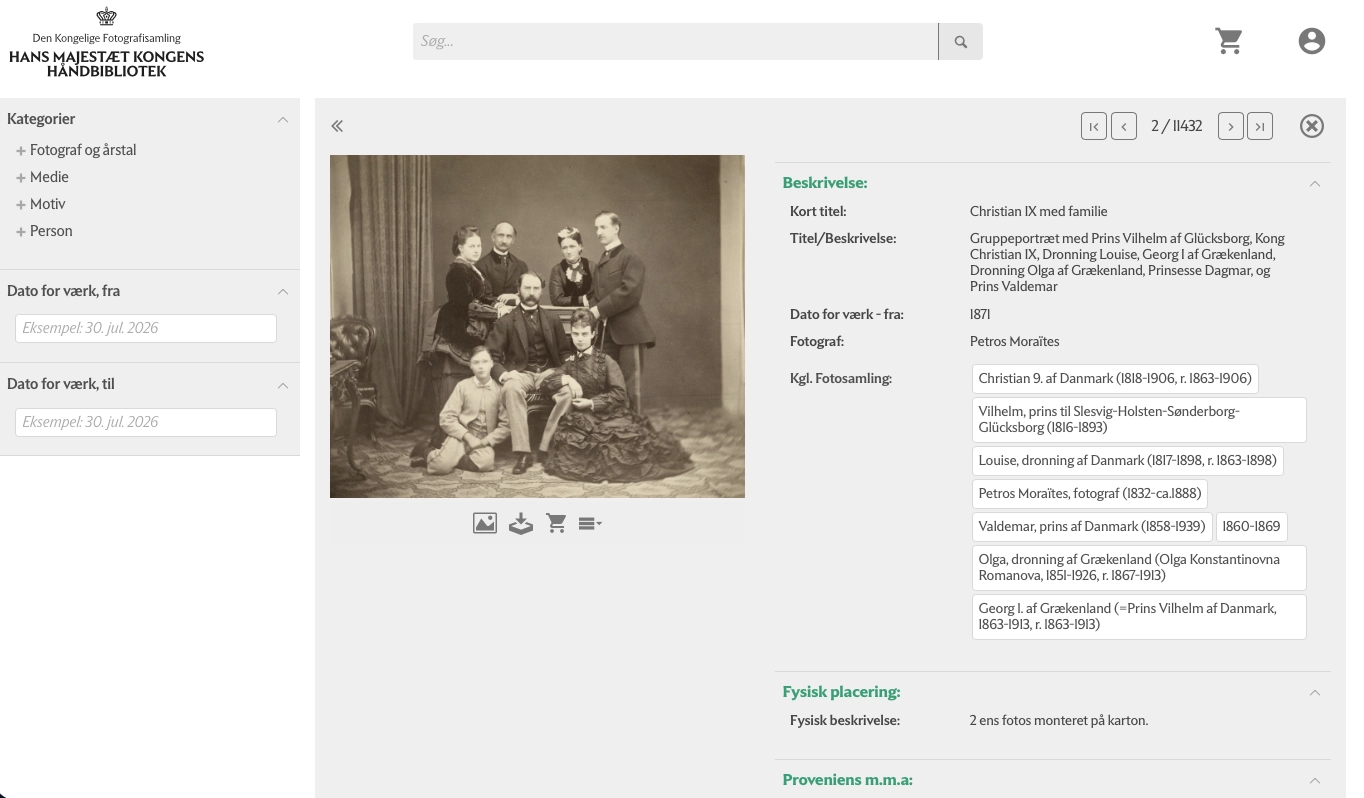
A record card in His Majesty the King's Reference Library. On the left, filters for categories and date range; in the middle, an 1871 group portrait with buttons for viewing, downloading and ordering; on the right, the catalogue record with the short title Christian IX med familie, a description, dating, the photographer Petros Moraïtes and a list of the sitters with their dates. A counter at the top reads record 2 of 11,432.
A record card with the full catalogue entry
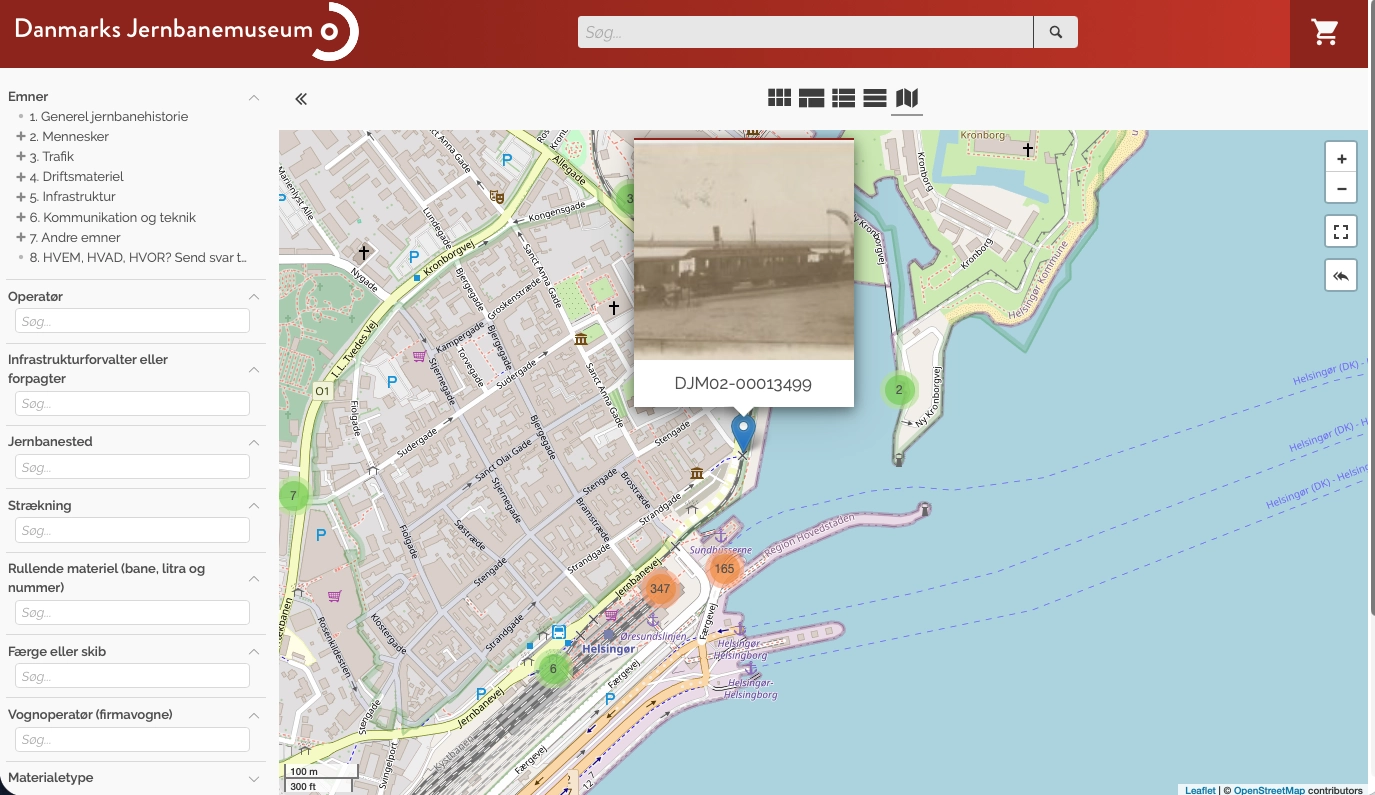
The map view in the Danish Railway Museum's portal. On the left, search fields for subject, operator, station, line, rolling stock and ferry; on the right, a map of Helsingør where matching records are gathered into numbered clusters, with one marker opened as a card showing a historical photograph of a ferry berth and the number DJM02-00013499.
The search result on a map
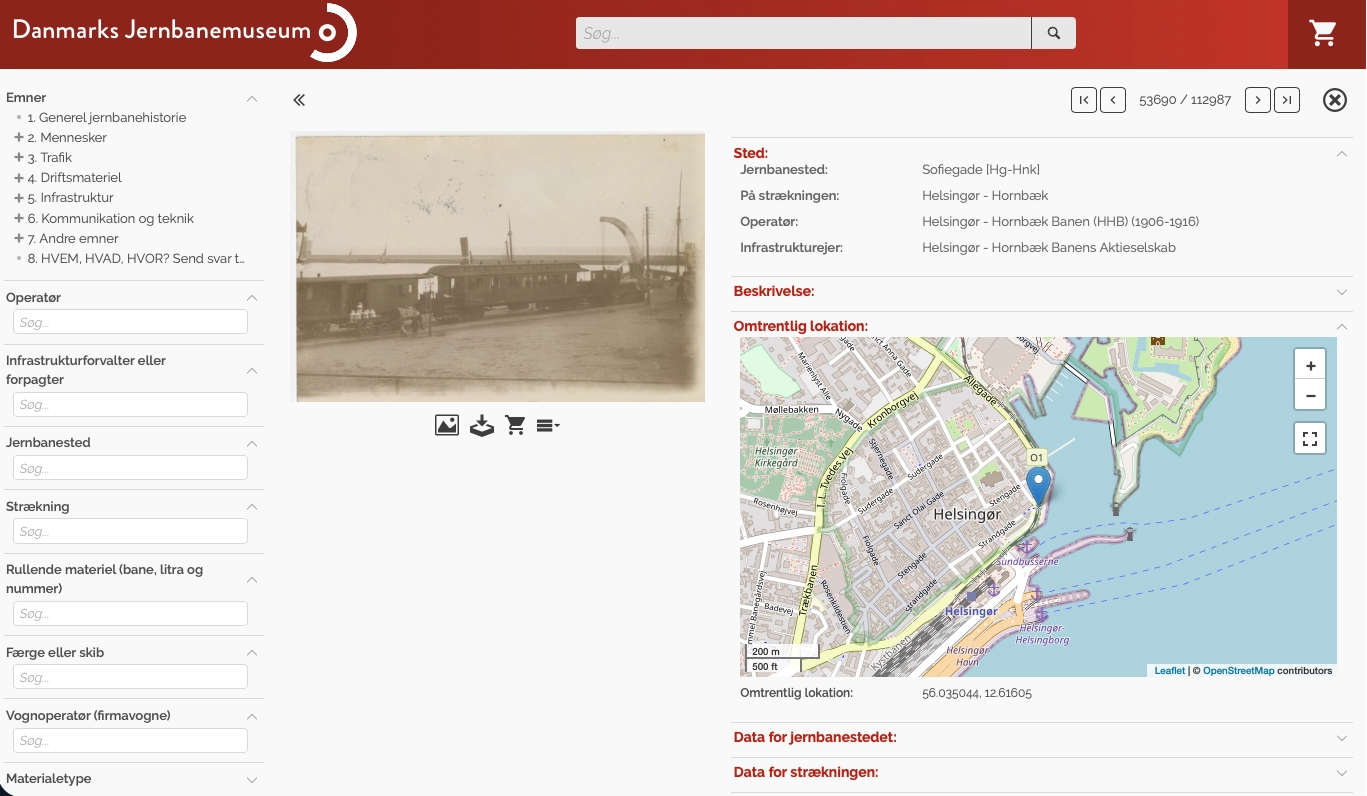
A record card in the Danish Railway Museum's portal. On the left, the same search panel; in the middle, a historical photograph of a steam ferry at the quay; on the right, the fields under Sted giving the station Sofiegade, the line Helsingør — Hornbæk and the operator Helsingør - Hornbæk Banen (1906-1916), and beneath them an inset map with the location marked at Helsingør and the coordinates 56.035044, 12.61605. The counter at the top reads record 53,690 of 112,987.
A record card with its location on a map

Shall we take a look at your files?

An informal meeting is usually the fastest way to find out whether a DAM makes sense for you - and what it would take.