Thumbnail View

Thumbnail View
Initially Visible RowsConfigures the number of rendered rows when starting AWP. The Auto-mode uses all visible vertical space to determine the number of rows automatically.
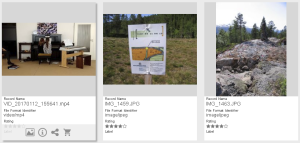
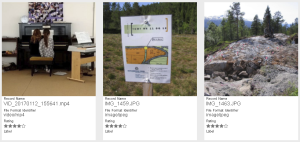
Square thumbnailsEnable this to display square thumbnails in AWP to get a lean design and even thumbnails - cancelling out the uneven design of having landscape and portrait thumbnails.
Standard View:

Square Thumbnails:
Allow Thumbnails with WatermarkUncheck to enforce non-watermarked thumbnails in the Thumbnail View even if that thumbnail is smaller than optimal for the currently chosen thumbnail size

Text Fields

A text field shows one line per item; longer text is cut off with “…”. To show more, select the field in the Thumbnail View of the view set in ACC, open “Properties…” and choose 1 to 5 under “Number of Lines” in the “Additional Properties”. The text then wraps at word boundaries over that many lines and is cut off with “…” after the last one. Line breaks of multi-line text fields are kept. Every item reserves the chosen number of lines, so all thumbnails in a row stay the same height.